Moving to a new platform or a new domain is when a website is most likely to lose its Google rankings. Search results, links and bookmarks point to addresses that no longer exist, and every address that ends in an error page takes some of the trust the site has built up with it. In November we merged our two previous websites, greaterstar.io and agreaterstar.com, into one new site on agreaterstar.com. This is how we did it and what we recommend to anyone facing the same move. The general checklist is in our post on changing platform without losing Google.
Start with a complete list of old addresses
Everything else in a move depends on this list. An address that is missing gets no redirect, and you only notice once the traffic is already gone. We built the list from three sources:
- A crawl of the old site, which gave 266 addresses.
- The database behind the older WordPress site, with pages, posts and categories.
- Server logs from the last two weeks, which show the addresses that are actually visited.
The logs turned up two addresses that none of the other sources had. That is common: addresses that other sites link to often stay in the traffic long after they have disappeared from the site’s own lists.
One redirect per page, to the right page
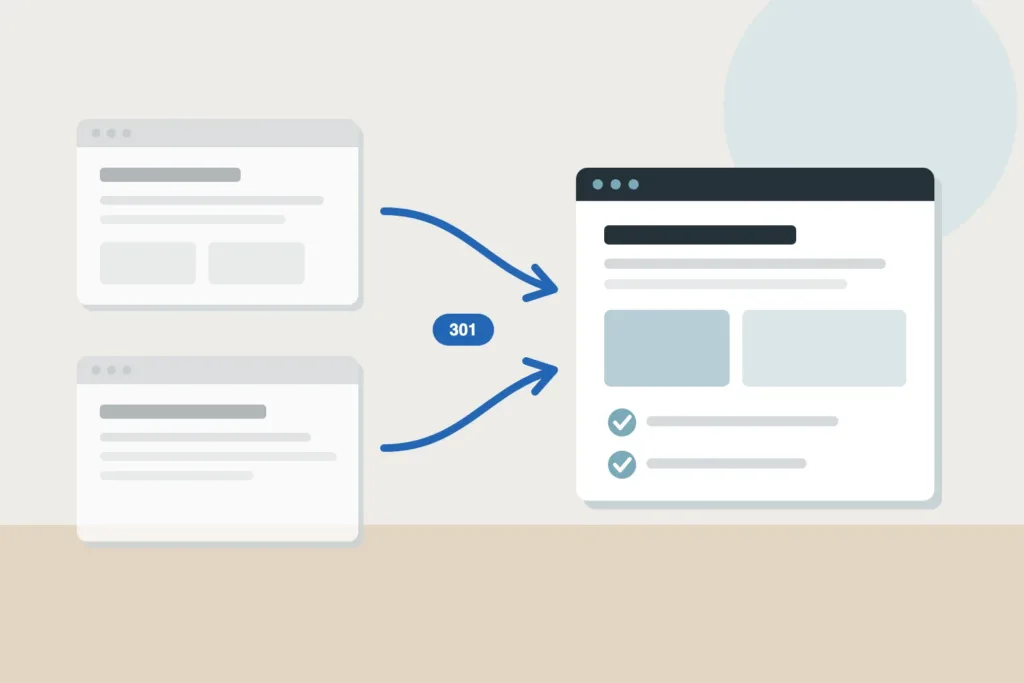
Every old address should lead to the page on the new site that answers the same question, with a permanent redirect (301). That is the signal that makes Google move the ranking to the new address. Sending everything to the home page is tempting, but Google treats such redirects much like error pages.
In our case that meant 115 redirects: 54 from the older WordPress site and 61 from greaterstar.io. Where a page could keep its address, it did. Domains that are no longer in use, such as agreaterstar.es, are forwarded with the path intact, so their old addresses also reach the right page.
Check every address, not a sample
The new site ran on a test address, closed to search engines, for two weeks before the switch. There we used a script to check that every old address leads to the right place with a single redirect, and that every new page has a unique title and description, one main heading, a correct canonical and a link to its translation. We ran the same check against the live site the day after the switch: 294 pages and 266 old addresses without a single issue.
A sample finds the obvious mistakes. The ones that cost rankings usually sit in the less visited addresses, and only a complete check finds them.
What most often goes wrong at the switch itself
Most problems in a move do not come from the redirects but from the step from test to production:
- The search engine block comes along. A test site should be closed to Google, but the block must not follow it to the live site. Let the environment decide whether search engines are let in, rather than a setting someone has to remember to change.
- Old addresses remain in the database. Internal links, image addresses and the fixed IDs WordPress stores for every post can still point to the test or development environment. Search the database for the old address as part of the switch.
- The cache serves old content. Clear the page cache and CDN when the site goes live, and make it happen automatically on every deploy after that.
- The firewall shuts Google out. Rules that block countries or suspicious traffic, in Cloudflare for example, can also hit Google’s crawler. Use URL inspection in Search Console to check that Google can fetch the pages.
Tell Google the site has moved
Submit the new sitemap in Google Search Console as soon as the site is live. When a whole domain moves, also use Search Console’s change of address tool; for agreaterstar.es that is the next step. Update structured data, robots.txt, your Google business profile and social media profiles too, and ask the most important sites that link to you to switch to the new address.
Follow up in the weeks after
Two things are worth following in the first weeks. One is the 404 log: if old addresses show up there, a redirect is missing. Among the most common error pages on our site there is no old address, and the redirects have been followed around 2,500 times since the switch. The other is Search Console, where you can see when Google starts showing the new addresses instead of the old ones. That normally takes a few weeks, and we will follow up on how the rankings have developed once the figures are in.
Checklist for your move
- List the old addresses from several sources, including the server logs.
- One permanent redirect per page, to the page that answers the same question.
- Check every address automatically, both before and after the switch.
- Let the environment control the search engine block, and make sure the firewall lets Google in.
- Submit the sitemap and follow the 404 log and Search Console in the first weeks.
Planning a move to a new platform or a new domain? We do the same work for our clients in web development and SEO. Tell us about your site and we will get back to you as soon as possible.